9 mini-games
The best move, the order of moves or the right answer. Mini-games of Puzzles & Survival and Puzzles & Conquest.
A hint window on top of the game and move highlights right on the board. No PC and no root — just an Android phone.
Google Play Protect may call this file dangerous. That is because of the permissions the hints need — not because of a virus. Why, and how to install it ↓ Playing on a PC? PNS Tools for Windows — all the solvers, the alliance map, Map Scaner and the calculators → Only need the codes? PNS Text Format — a free formatting bar above the keyboard →
The app sees the mini-game board straight from the game and suggests the best move. Puzzles & Survival and Puzzles & Conquest are supported; nothing to type in by hand.
The best move, the order of moves or the right answer. Mini-games of Puzzles & Survival and Puzzles & Conquest.
See when an HQ's shield drops on the map: a list with search and filters by alliance and shield.
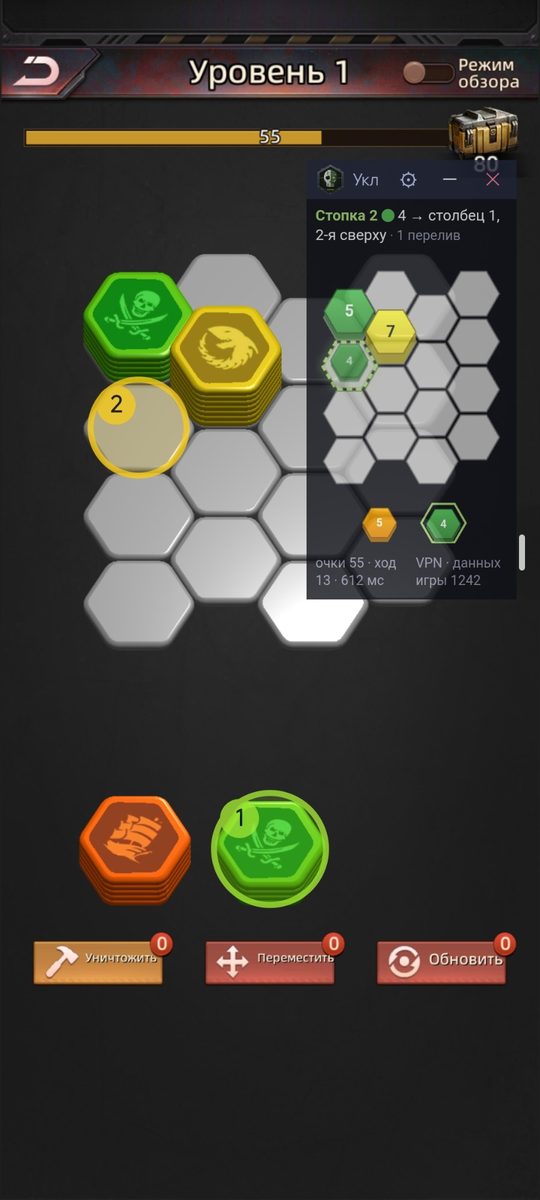
A green frame shows what to take, yellow where to put it, an arrow where to slide it. Taps pass through to the game, so it never gets in the way.
The hint as text and a board diagram in a small window. Drag it, collapse it to the title bar, change transparency and size — right on top of the game.
Everything runs on the phone itself. The app sees the game's data through a local VPN for Puzzles & Survival or Puzzles & Conquest only.
Does the game open only through a VPN? Switch Happ, v2rayNG, NekoBox or Hiddify to proxy-only mode — the hints go through it and your VPN stays on. How to set up
A new version comes with a changelog and installs with one tap. The update file is checked against a digital signature.
The app changes nothing in the game, taps nothing for you and sends nothing to the game's server. You make the moves yourself.


The app is not on Google Play — it is installed from an APK file from this site. It is a normal install; Android will just ask a couple of questions.
With the “Download APK” button on this page — from your phone. Download only from projectalt.ru: a file from another site could have been swapped.
Open the downloaded file. Android will ask you to allow installs from the browser — “Settings” → turn on “Allow from this source” → back.
If it warns you or blocks the app — “More details” → “Install anyway”. Why this happens is below.
Allow the window over other apps and the VPN, tap “Start hints and open the game” — then open any mini-game.
In short: Play Protect is wary of unfamiliar apps that are not from Google Play and ask for “strong” permissions. PNS Tools Lite asks for exactly those — without them the hints do not work.
This is not the result of a code scan but a judgement based on signals: the app is not from Google Play, it has few installs so far, and its permissions look like the ones malware asks for. Every one of these permissions has a real purpose here — here is what each is for.
To see the mini-game board, the app reads the data the game receives from its server. For that, Android turns on a local VPN for Puzzles & Survival or Puzzles & Conquest only: other apps — browser, bank, messengers — go online as usual, and the app does not see them. The game's traffic goes to its server unchanged — directly, or through your VPN client's proxy if you set one. The key icon in the status bar is this VPN.
Needed only for the “World Map” — so the shield timers above HQs do not lag while you scroll across a part of the map that is already loaded. The app reads one line of “X:… Y:…” coordinates in the corner of the map and nothing else.
What is important to know: the screen is never stored or shared — not to a server, not to a file; a frame exists in memory for a fraction of a second and is only needed to recognise that line. The permission is granted by a system dialog, lasts until the hints are restarted, and you can decline it altogether: the “Read map coordinates from the screen” feature is off by default, and without it the map still works from the game's data — the timers may just lag a few tiles behind.
The hint window and the move frames on the game board. The frames do not take taps — they pass through to the game.
Only for PNS Tools Lite's own updates from this site. The update file is checked against a digital signature, and Android installs it only after you confirm.
The “Show window” and “Stop” buttons while the hints are running, and a reminder a day before the term ends.
Only for the text formatting panel in the game chat: the service sees the input field and inserts colour and style codes when you tap a button. It is off until you turn it on in Android settings. It receives events from the game only — the system does not show it other apps. Text is not stored or sent anywhere.
To find your copy of the game if it was installed from AppGallery or another store under a different name: the app matches names against “Puzzles & Survival” and “Puzzles & Conquest”. There is no full scan of all installed apps (no QUERY_ALL_PACKAGES permission), and the list is not sent anywhere.
The built-in VPN needs your network's DNS servers, and an update downloads by itself only on an unmetered network — usually Wi-Fi. The app does not track other connections or VPNs.
Only for the “Show the window only in the game” option (from version 1.7.0): to hide the window when you switch to other apps, the app checks once a second whether the game is on screen. Names of other apps are not stored or sent anywhere. You grant it yourself in Android settings; it is not needed if the formatting toolbar is on. Without it the window is visible everywhere, as before.
The APK can be checked by dozens of antiviruses on VirusTotal — the report on the current version. All versions are signed with one developer key; in-app updates install only with that signature.
Sometimes one or two of 60+ antiviruses flag the file as “Trojan” or “Dropper”. This is a heuristic false positive, not a detected virus: the app can install its own updates and also turns on a VPN for the game and shows a window over it — malware can combine these too, so cautious heuristics react to it. The other antiviruses, including the major ones, do not flag the file.
Certificate fingerprint (SHA-256):E8:7B:7E:00:98:B8:79:AE:B0:28:F0:21:85:24:02:9B:13:DF:0E:5F:0E:B5:92:3E:9D:31:23:2B:91:D2:7E:06
We have submitted the app for review to Google. Until a new app builds up a reputation, the warning may appear — that is normal.
Not sure? Write to the Telegram group or to alienlair@yandex.ru and we will answer.
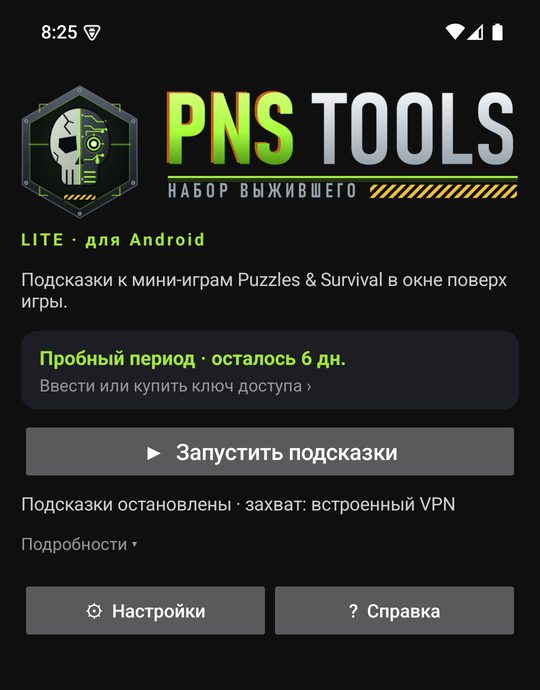
The trial runs 7 days with all the mini-games, from the first launch on your phone. After that — a 30-day access key: 299 ₽, or ≈ $3.6 / €3.2 when the payment platform converts the ruble price at its own rate. No auto-renewal.
Compare PNS Tools and PNS Tools Lite →
No. Play Protect judges unfamiliar apps that are not from Google Play by a set of signals, and PNS Tools Lite asks for VPN, display over other apps and app installs — malware asks for permissions like these too. Why they are needed here and what the app does not do is in the “Safety” section; the file can be checked on VirusTotal. Install only the file from projectalt.ru.
No, it is a false positive. Single antiviruses with cautious heuristics react not to detected malicious code but to a combination of capabilities: the app installs its own updates (only with the developer signature and only after you confirm in the Android window), turns on a VPN for the game and shows a window over it. If one or two engines of 60+ fire and the rest are clean, this is it. Download the file only from projectalt.ru and compare the certificate fingerprint in the “Safety” section.
No, the app only reads the data the game already sends to your phone and shows a hint. It sends nothing to the game's server and taps nothing for you — you make the moves yourself. The chance of an account ban is minimal.
Through the local VPN the app sees Puzzles & Survival or Puzzles & Conquest data — and only that: other apps go online directly. The key icon in the status bar shows the VPN is on. To stop it — “Stop” in the notification or on the app's main screen.
The app has two update channels. Stable — tested versions, rare updates; the «Download APK» button gets this one. Beta — new features first, but they are still being debugged: bugs are possible, and updates may come several times a day. Switch the channel in the app: «Settings» → «App» → «Update channel» (from version 1.7.0), or install the beta right away: PNSToolsLite-beta.apk. The access key is the same for both channels. You can go back from beta to stable at any time: the stable version comes once it is newer than the beta (Android does not install a version older than the installed one).
Android keeps only one VPN on, so the hints switch yours off — and the game cannot log in. The way out is proxy-only mode: your client does not take the VPN slot but opens a SOCKS5 proxy on the phone, and PNS Tools Lite (from version 1.6.6) routes the game's connections through it. Example for Happ:
v2rayNG, NekoBox and Hiddify call the mode similarly (“Proxy only”); see their settings for the port. With “Allow connections from LAN” the proxy is open without a password to devices on the same Wi-Fi — better turn it off on networks you do not trust. Clients without a proxy mode (WireGuard, AmneziaVPN, Outline) cannot do this: use Wi-Fi where the game opens without a VPN, or a VPN on the router.
No. Everything runs on the phone itself: Android 8 or newer, with Puzzles & Survival or Puzzles & Conquest on the same phone.
On phones with an unusual aspect ratio this can happen. In the solver window tap ⚙ → “⤢ Fit”: move the frames with one finger, resize with two, then “Done”. The correction is remembered for each mini-game.
Open the mini-game again: data arrives when the game loads the board. If that does not help, use “Restart capture” in the solver window. And if that does not help either — in the app, “Help” → “Send report”: the email will contain everything needed to look into it.
By itself: every 6 hours it checks for updates and shows a “Version available…” card on the main screen — one tap and Android installs the new version over the old one. The key and settings are kept.
No, the keys are separate: Android has its own, on the purchase page. The Windows version is on the main page.