
Mini-game solvers
The best move and your chance to clear the level — straight from the in-game board.
Reagent SortingMaster CollectorSolitaire MasterTetromino MasterMatch MasterGem MasterBlock Stacker
PNS Tools sees the mini-game board straight from the game and shows the best move. It also plans where alliance members stand, collects player data from the map and calculates compensation for attacks on HQs and tiles. No manual input.
Download not starting? Get the trial from a mirror: Yandex Disk · Google Drive
Playing on your phone? There is PNS Tools Lite for Android — hints right on top of the game, 7 days free.
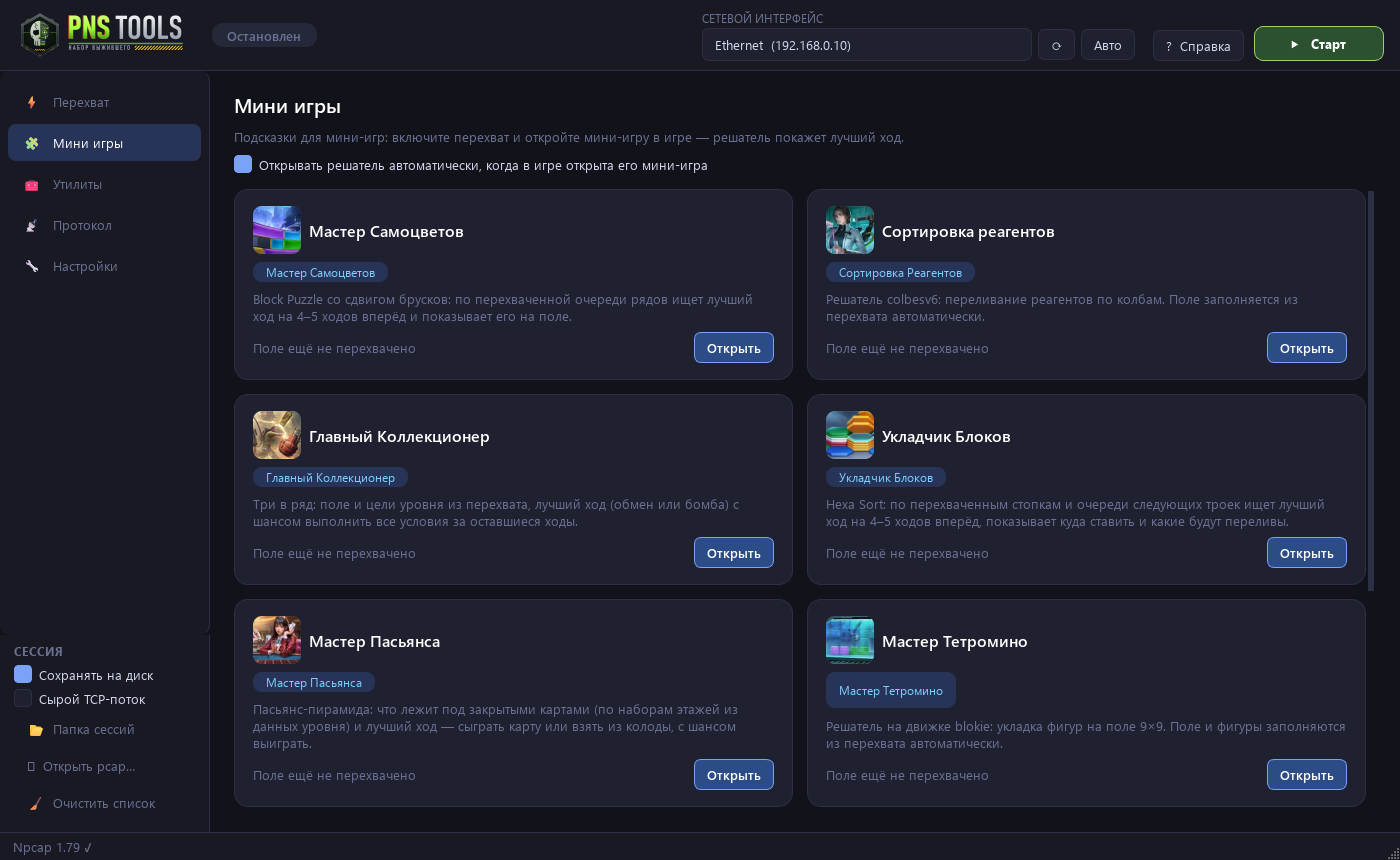
Mini-game solvers and alliance tools. The data comes straight from the game — nothing to type in by hand.
The best move and your chance to clear the level — straight from the in-game board.
Made a move in the game? The solver gets the new board right away and shows the next move. The window opens by itself when you enter a mini-game.
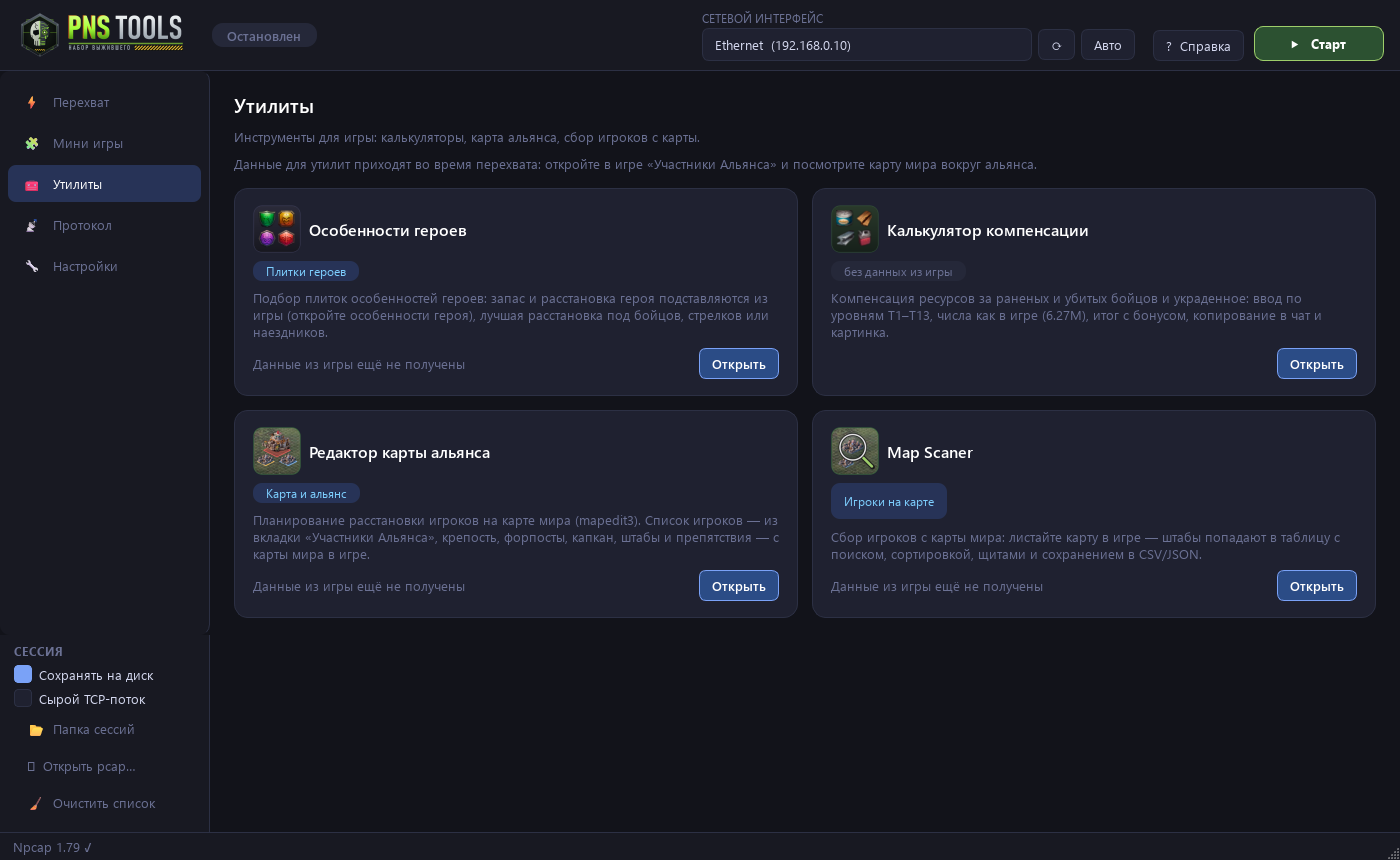
Plan where alliance players stand. Alliance members, the fortress, outposts and obstacles are filled in from the game automatically
Scroll the world map — player HQs land in a table: level, alliance, shield. Search, sorting, export to Excel.
Automatic calculation of the best tile layout for infantry, archers or cavalry.
Calculates resource compensation for wounded and killed troops after attacks on tiles and HQs
A new version installs with one button — with a changelog. Settings and data are kept.
The app changes nothing in the game and sends nothing to the game's server. You make the moves yourself. The chance of an account ban is minimal.


No install needed — it is a single file. A detailed guide opens in the app on first launch (and with the F1 key).
Run the installer and keep clicking “Next” — no administrator rights needed. If Windows warns you about a new app, click “More info” → “Run anyway”.
The app offers to install the free Npcap driver — it needs it to see the game's data. Click “Yes”, then restart the app.
Launch Puzzles & Survival on this computer, click “Auto” and enter any mini-game 2–3 times. Then click “Start”.
Open a mini-game — the solver window appears by itself and highlights the best move. Make a move and get the next one.
The trial gives you every feature for 3 days. The full version is $5.99 USD or €5.99 EUR for 30 days (399 ₽ with a Russian card), with no auto-renewal.
Mirrors: Yandex Disk · Google Drive
Full version installer (works with a key): Yandex Disk · Google Drive
No. PNS Tools only reads the data the game already sends to your PC and shows a hint. It sends nothing to the game's server and clicks nothing for you — you make the moves yourself.
Npcap is a free driver that lets programs see network traffic (Wireshark uses it, for example). PNS Tools offers to install it on first launch; you can also download it from npcap.com.
3 days from the first launch, with every feature. The trial is granted once per computer: updating the trial build does not extend it. The app needs internet access to check the term.
That happens with new apps that have no paid digital signature. Click “More info” → “Run anyway” or add PNS Tools to your antivirus exceptions.
Pay $5.99 (399 ₽ with a Russian card) on the purchase page — the receipt, the full-version link and a 30-day access key arrive by email. You can cancel at any time: before access is granted the money is refunded in full, after that — for the unused days. Details are in the terms.
Release news is in the Telegram group t.me/pnstools and on the MAX channel max.ru/channel_pnstools. The Telegram group is where you can discuss things and get help from the author and other players. The app installs updates automatically.
Download it from a mirror. Trial version: Yandex Disk · Google Drive. Full version (runs with an access key): Yandex Disk · Google Drive. The file is about 230 MB; on Yandex Disk and Google Drive click “Download”.
Windows 10 and 11, 64-bit. Puzzles & Survival must be running on the same computer. For phones there is a separate app — PNS Tools Lite for Android.